Every line, booked.
Sales, commission, TCS, returns and reversals are booked from the lines in your exports as entries with debits and credits. Each entry carries the document and the line it came from, so any number can be traced back in one click.
FOR MARKETPLACE AND D2C SELLERS
GeniusCFO takes the exports you already download and turns them into books that are current every day.
Every line booked, debits and credits. Bank matched. GST prepared from your own documents, and an answer to what you made this month that carries the document it came from. Your accountant reviews everything, and still files.
01 · The files
The settlement report, the payout statement and the TCS report from each marketplace, the returns file if you have one, your purchase bills and your bank statement. Upload them as they are: CSV, Excel, PDF, scans or photos. Around 15 Indian document types are read.
There is no marketplace connector. GeniusCFO does not connect to, sync with or parse Amazon, Flipkart or Meesho settlements. You bring the exports you already download every month, and every line in them is booked.
02 · What it becomes
The same files, booked, matched, prepared and answered. Four screens, in the order the work happens.
Sales, commission, TCS, returns and reversals are booked from the lines in your exports as entries with debits and credits. Each entry carries the document and the line it came from, so any number can be traced back in one click.
Statement lines are compared with the entries in the books. The payout that landed is matched to the settlement it came from; mismatches are surfaced, not buried, and the reconciliation is completed in place.
Output GST, input tax credit, net payable, return status and mismatches, prepared from the same books in the same workspace. Nothing is re-keyed into a separate spreadsheet. Your accountant reviews and files.
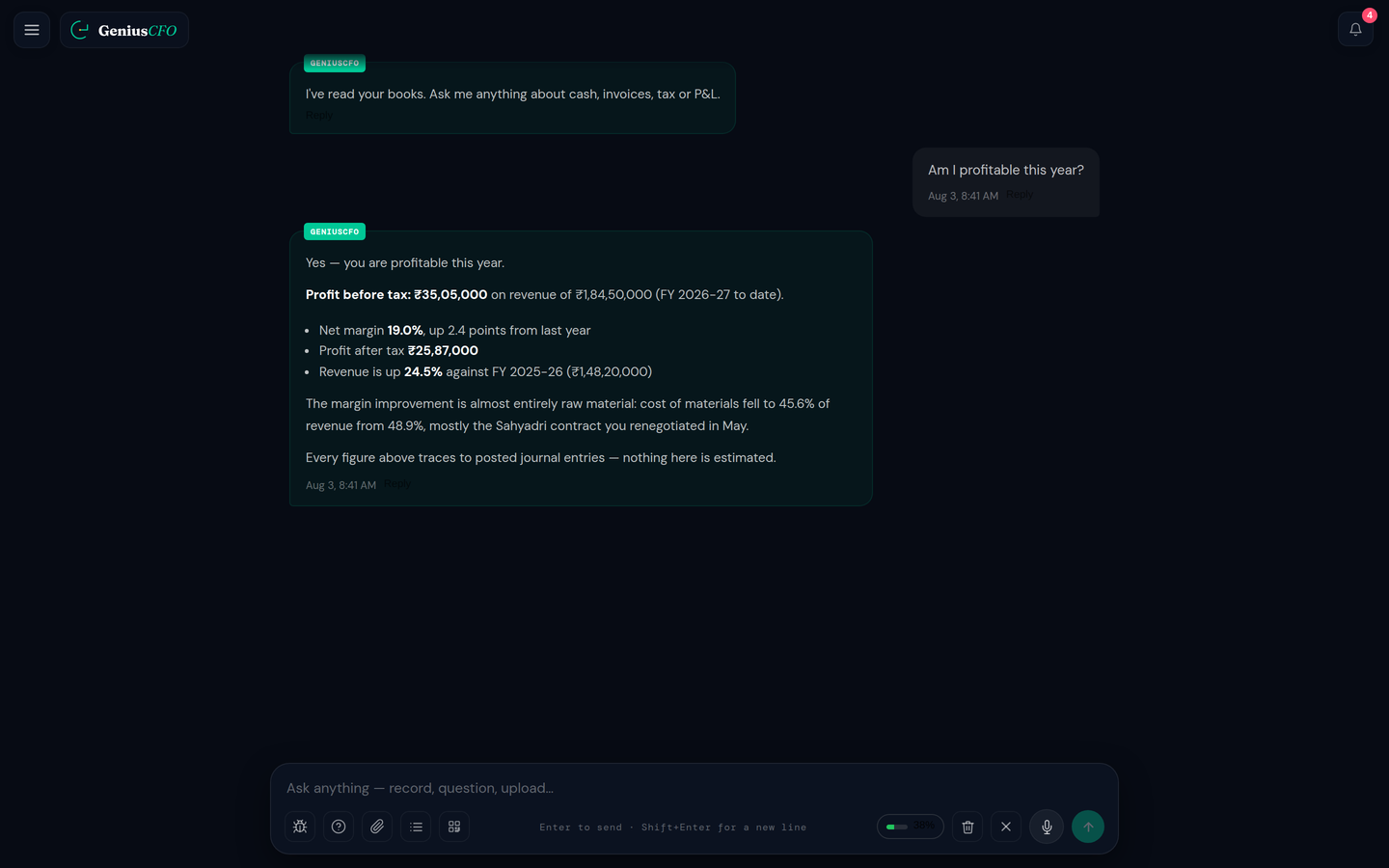
Type or say the question. Ask GeniusCFO answers from your updated books, with the source document attached, and takes a follow-up question in context.
03 · The month
The dashboard tile shows sales less the fees it knows about. The bank shows what landed after commission, TCS, returns and reversals, on each platform's own cycle. Neither is your profit. The books, current every day, are where the two meet.
With the books current every day, the arithmetic is already done by Sunday.
04 · Your accountant
For monthly filers, GSTR-1 is due on the 11th and GSTR-3B on the 20th. Because the books are current, the GST workspace already shows what is payable this month and which supplier documents are missing from GSTR-2B. Your accountant reviews the same books, in the same workspace, and files.
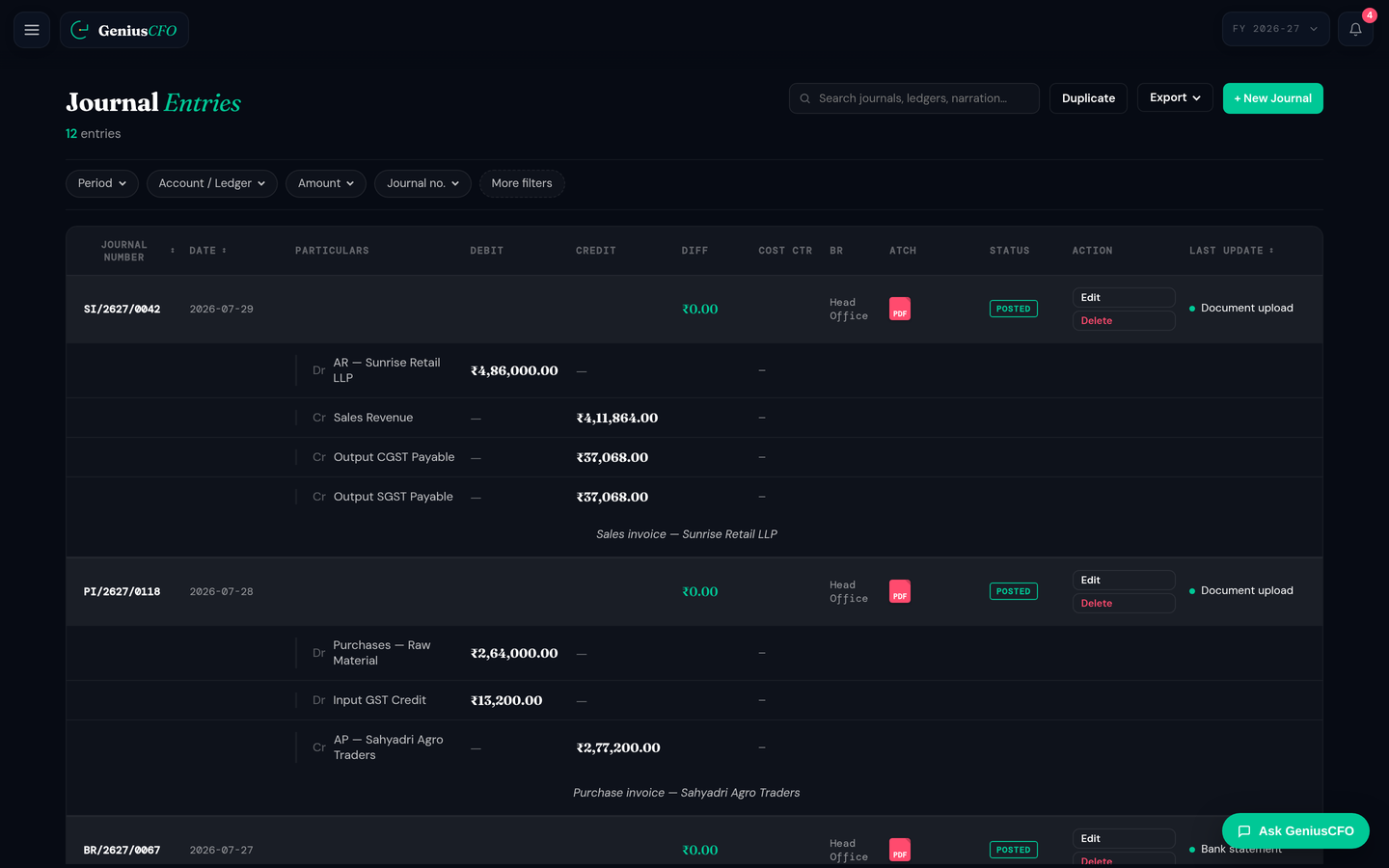
Your accountant can review the entries, source records, reports and GST information in the same workspace you use.
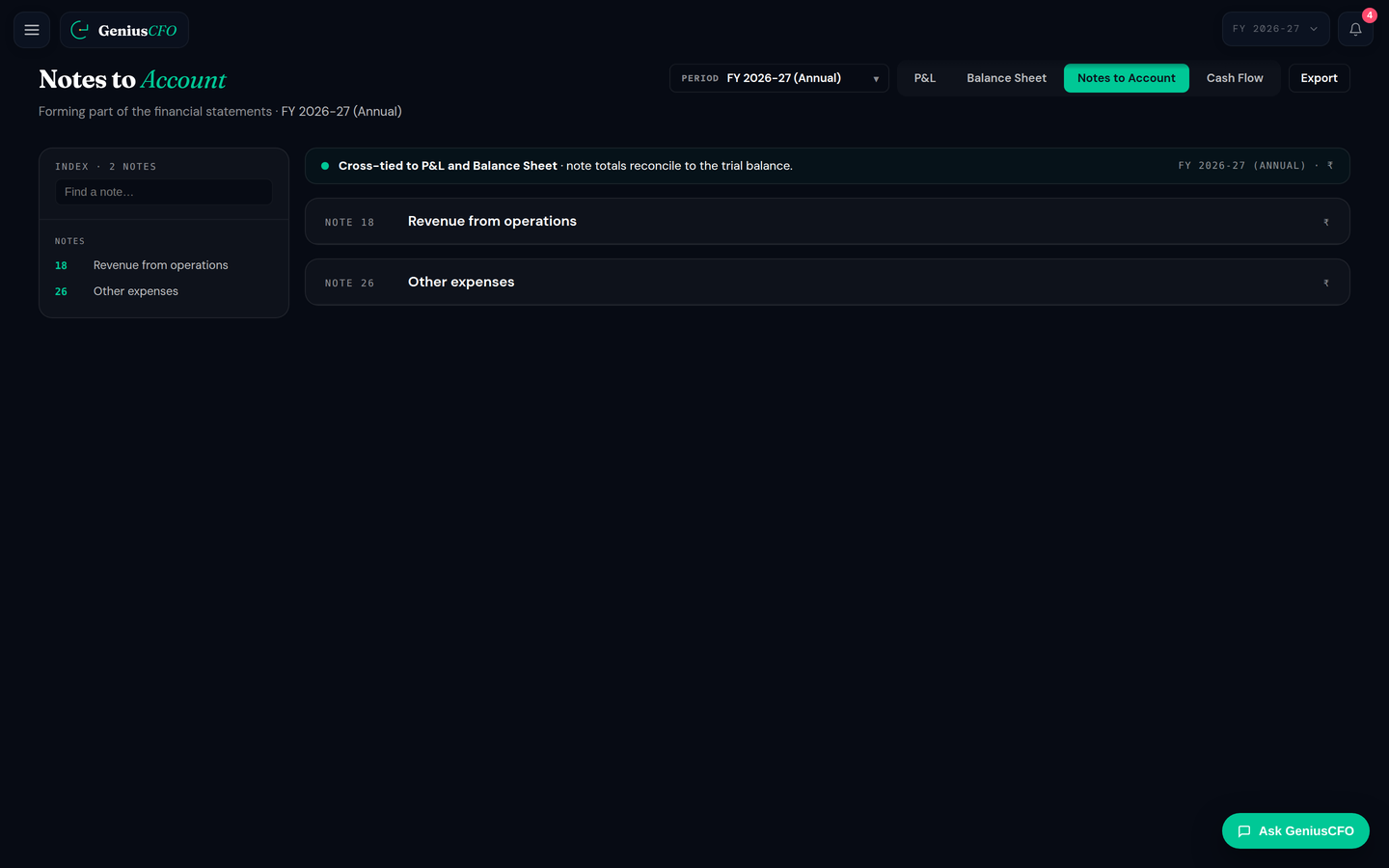
Entries are prepared from your business documents and bank activity, and the underlying record stays attached for review.
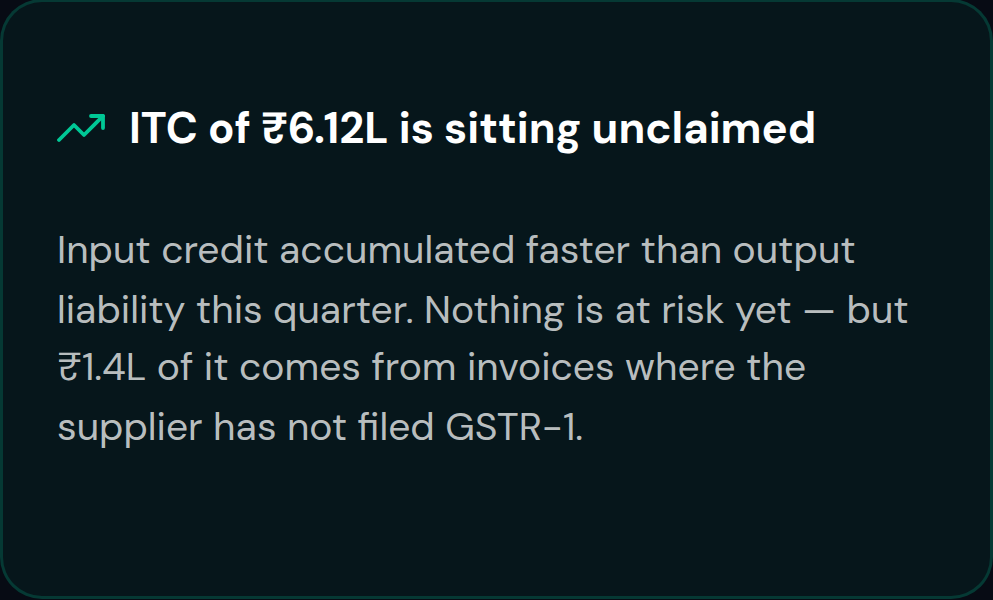
Because the books stay current, payment, tax and cash issues show up while there is still time to act on them.
Your accountant still files. And still reviews everything.
05 · Today
Against the tools a seller uses now, not against other software. The software comparison is on the business page.
| What you need | The dashboard tile | Your spreadsheet | Your accountant, at filing | GeniusCFO |
|---|---|---|---|---|
| Current today | ✓ | ◐ | × | ✓ |
| Reversals and TCS booked | ◐ | ◐ | ✓ | ✓ |
| Every number traces to a document | × | × | ✓ | ✓ |
| GST position this month | × | × | ◐ | ✓ |
| Your accountant reviews it | × | ◐ | ✓ | ✓ |
06 · How it works
07 · Pricing
Seven days of full access for ₹9, then a plan chosen inside the product. Every plan carries the full product. The tiers differ in how much AI you get.
Light is one business and one user, which is most sellers under a crore; every plan carries the whole product.
The 3-month plan is billed once for three months of access and saves 20% against the monthly rate.
SELECTED · LIGHT · 3 MONTHS
₹799
₹2,830 TOTAL, INCLUDING 18% GST
GeniusCFO costs ₹999 per month for Light, ₹1,999 for Pro and ₹2,999 for Pro Max, for one business and one user. Prices exclude 18% GST, and billing every three months costs 20% less than the monthly rate. See full pricing, managed services and add-ons.
Want a person on it as well?
Add professional accounting support on top of your plan. Optional, and billed separately.
₹999/month
A dedicated accountant supports month-end review, bookkeeping cleanup and filing preparation.
₹2,999/month
A Chartered Accountant supports GST, TDS and income tax filing, quarterly review and tax advice.
Managed services are not included in any plan. Prices exclude 18% GST.
08 · Try for ₹9
Pay ₹9 once and use GeniusCFO for 7 days with full access, bookkeeping, GST information, bank matching, alerts and Ask GeniusCFO. Your sign-up follows the payment, so you start the same day.
₹9 PAID ONCE · NO CARD, NO UPI MANDATE · NOTHING CHARGED AUTOMATICALLY
At the end of the 7 days you choose a plan. If you don't, the AI stops while your books, statements and GST screens keep working, and nothing is deleted.
Pay ₹9 on Razorpay. After the payment you are sent to the GeniusCFO sign-up, and your 7 days of full access begin as soon as you sign up.
If the payment page does not open by itself, use the button above. The payment is handled by Razorpay.
09 · Questions
SEVEN DAYS · FULL ACCESS · ₹9 PAID ONCE

