FREE FOR 7 DAYS · STARTS AT ₹999 PER MONTH · NO CARD OR UPI MANDATE TO START
Book a Demo

FOR CA & ACCOUNTING FIRMS

You bought software. Then you staffed it.

Your firm pays for the license, then pays again in professional hours to run it.

GeniusCFO does the preparation instead: journal entries with debits & credits, bank reconciliation, GST and Schedule III statements — each one handed to your team with its source document for review and sign-off.
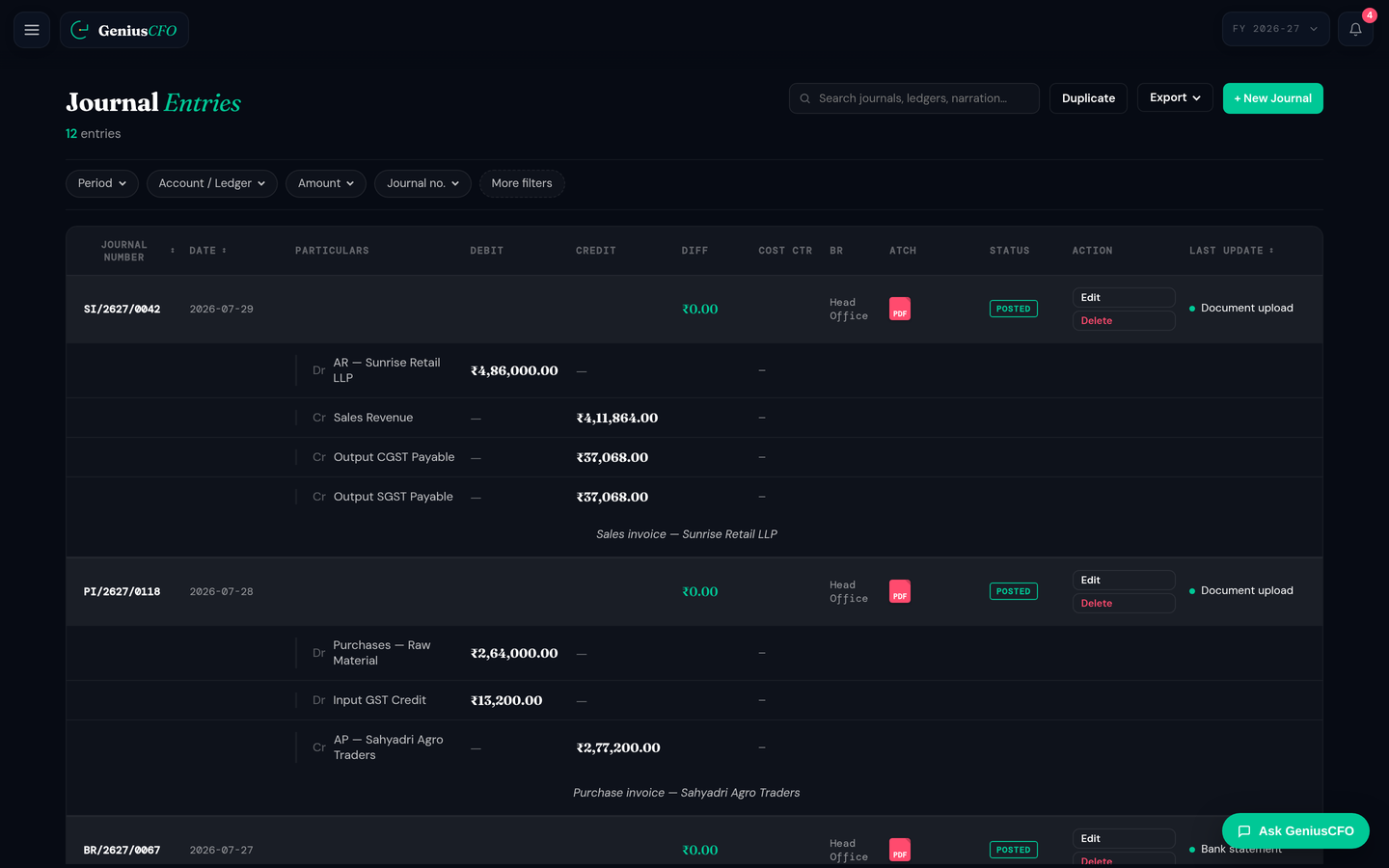
Journal entries prepared by GeniusCFO with debit and credit lines, narration, the source document chip and a posted status Prepared, posted, and still attached to its source documentOpen full size ↗

01 · The suite

Your AI Accounting Suite.

One workspace per client company: the CFO layer your partners advise from, the accountant layer that does the preparation, the GST desk — and what is coming next.

CFO

What you advise on

  • CFO Insights
  • Cash Flow Forecasting
  • Margin Analysis
  • Risk Alerts
  • Tax Intelligence
  • Scenario Modelling
  • Chat Interface
  • Persona Modes

Accountant

What stops being manual

  • Journal Entry
  • Invoicing
  • Bank Reconciliation
  • Financial Statements
  • FP&A
  • Inventory Management

GST

Prepared for your review

  • GST data preparation
  • GSTR-1 & GSTR-3B preparation
  • Input Tax Credit (ITC) reconciliation
  • GST mismatch & exception detection
  • GST return review

Coming soon

On the roadmap

  • Payroll
  • Auditing
  • ITR Filing
  • CRM
  • Expense Management

Every firm plan carries the whole suite for every client company on it.

02 · What it prepares

The preparation, done before your team opens it.

GeniusCFO prepares bookkeeping entries, GST information, statements and reconciliations, and keeps the source record attached to every one.

Entries with debits and credits.

Not a summary — the accounting. Invoices, bills and statements come back as posted journal entries with the narration and the source document still attached.

  • Dr/Cr lines against real ledgers
  • Source document on every entry
  • Posted, editable, reversible

GST prepared from the books.

No separate working file. GST liability, input tax credit, mismatches and prepared GSTR-1 and GSTR-3B information, in the same client workspace.

  • Output GST and ITC reconciled
  • GSTR-1 and GSTR-3B prepared
  • Mismatches flagged before filing

Bank matched to the books.

Books against the bank’s own closing balance. Every account, every period, with the gap explained rather than left for someone to find.

  • Per-account reconciliation summary
  • Differences explained, not just listed
  • Unpresented items carried forward

The client’s numbers, without waiting for the close.

Advisory needs current books. Profit, cash, receivables, payables and working capital update as the client’s books do — so the conversation can happen in August, not October.

  • Live profit and cash position
  • Receivables and payables ageing
  • Alerts raised as they appear

Ask instead of hunting through reports.

Type it or say it. Ask a question of the client’s books and get the figure with the entries it traces to — fewer clicks than opening the ledger.
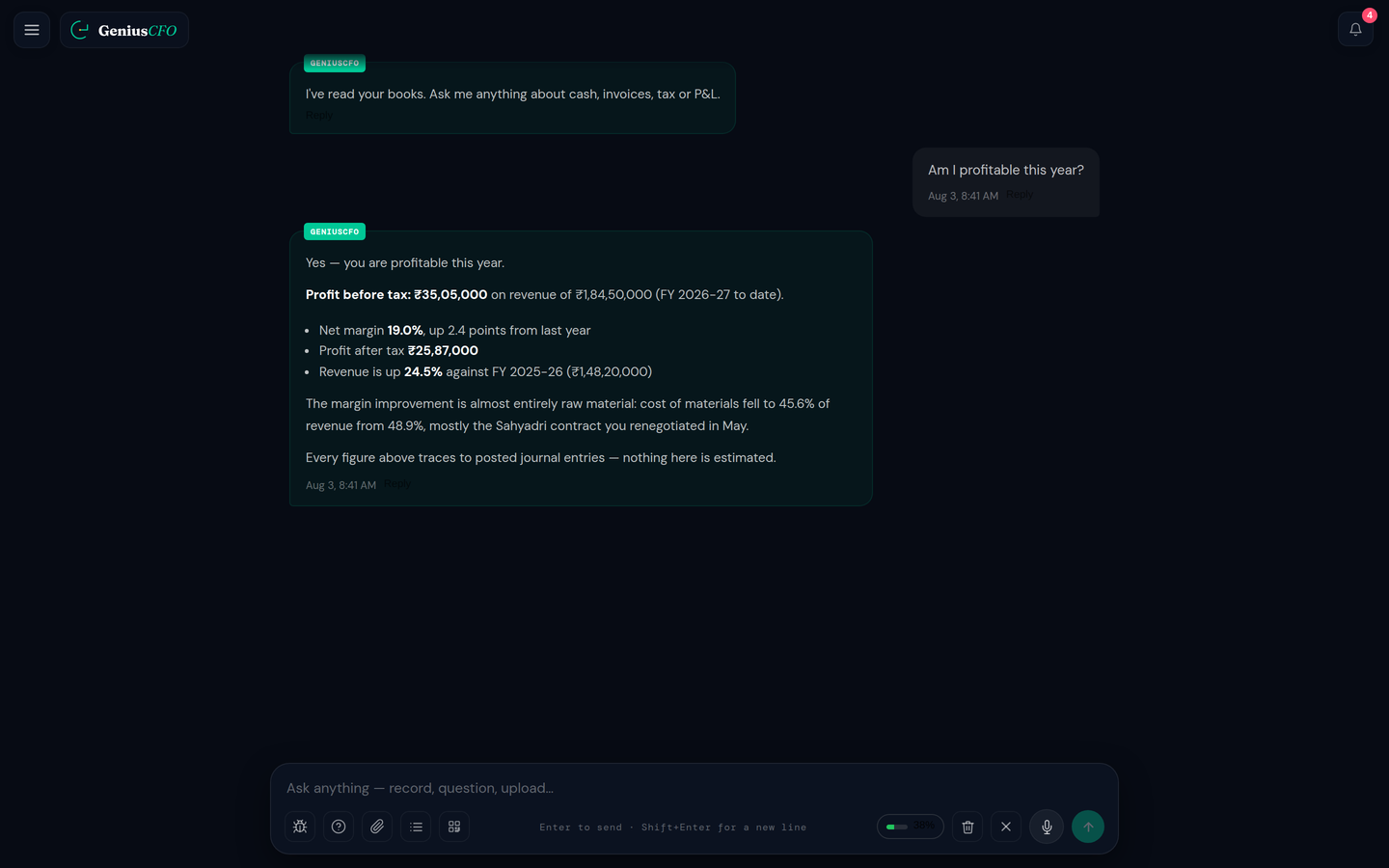
  • Typed or voice questions
  • Figures traced to posted entries
  • Follow-ups in context

03 · What you get

Schedule III, not a working file.

Statement of Profit and Loss, Balance Sheet, Cash Flow and Notes to Accounts, in statutory format with the prior-year column, from the same books.

04 · Review and sign-off

Automated work. Your professional judgement.

Preparation stops being manual. Review, judgement and sign-off stay with the firm.

Trial balance showing total debits equal to total credits and no unposted batches
It ties out before you open it.

Total debits against total credits, the difference, and the count of anything still unposted — on the screen, not at the end of an afternoon.

Chart of accounts with balances, active status, tax mapping and an account detail drawer
The account structure is yours.

Heads, balances, tax mapping and the movement behind each account, editable by your team rather than fixed by the software.
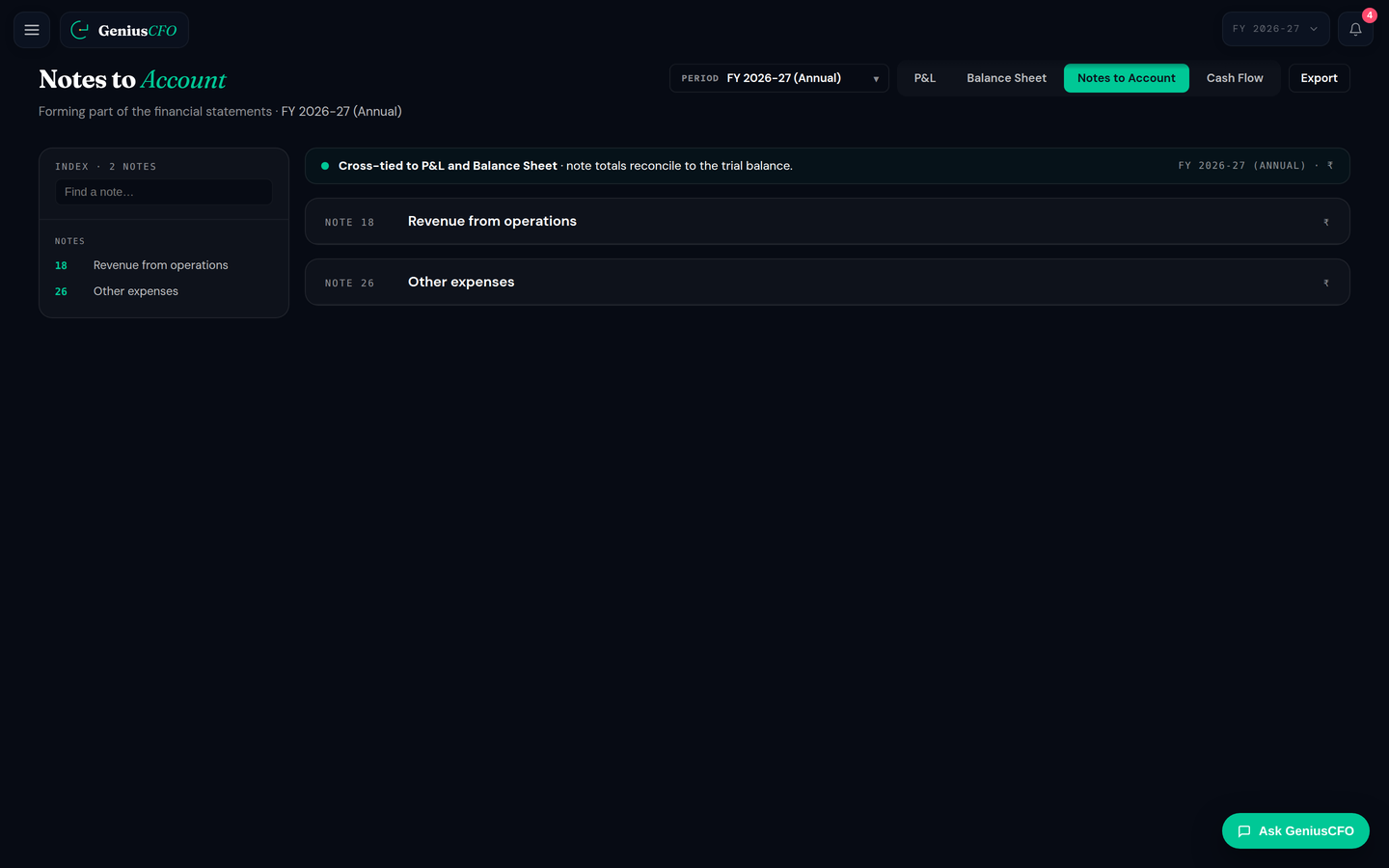
Notes to Accounts prepared alongside the Balance Sheet and Statement of Profit and Loss
Every figure traces to a document.

Notes sit with the statements, and each entry keeps the invoice, bill or statement it came from — so the review is a review, not a reconstruction.

Where the work changes hands

  1. 01 · CollectCollect the client’s accounting documents and data.
  2. 02 · PrepareGeniusCFO prepares entries, reports, financial statements and GST information.
  3. 03 · ReviewYour team reviews source records and the items that need attention.
  4. 04 · Sign offYour firm applies professional judgement and completes final sign-off.

05 · One workspace

Everything a client engagement needs.

The routine work a practice actually carries, per client company.

Journal entries Chart of accounts General ledger Trial balance Bank reconciliation GST Schedule III statements Notes to Accounts Cash flow Intelligence Hub

Financial statements

  • Statement of Profit and Loss
  • Balance Sheet
  • Cash Flow Statement
  • Notes to Accounts

Accounting reports

  • Trial Balance
  • General Ledger
  • Chart of Accounts
  • Bank reconciliation summary

GST work

  • Prepared GSTR-1 and GSTR-3B information
  • GST liability, input tax credit and mismatch review
  • GSTR-2B reconciliation

06 · Capacity

More clients, without more hires.

Preparation

What stops costing professional hours

The licence stops being a second salary. The routine preparation runs on the software; your professionals spend their hours on review, judgement and the advisory work clients actually pay a firm for.

07 · Pricing

Priced by the client companies you run on it.

Firm plans include the client companies and team members you need to start. Add more as the practice grows — the plan does not have to be resized every time you win work.

The 3-month plan is billed once for three months of access and saves 20% against the monthly rate.

SELECTED · TEAM · 3 MONTHS

₹3,199

₹9,598 + GST, billed every 3 months · 3 months of access.

₹11,326 TOTAL, INCLUDING 18% GST

Additional client company
₹599 per company, per month.
Additional team member
₹299 per member, per month.
Book a Demo

GeniusCFO costs ₹3,999 per month for Team, covering three client companies and two extra members, and ₹6,999 per month for Enterprise, covering ten client companies and five extra members. Prices exclude 18% GST, and billing every three months costs 20% less than the monthly rate. Running more than ten client companies? Request access and the GeniusCFO team will size the plan with you. See full pricing and add-ons.

08 · Request access

See GeniusCFO with one of your client cases.

Bring one client case to your access request. We will show how GeniusCFO handles its bookkeeping, GST, bank matching and statements — and where your team picks it up.

1 · Your details2 · Two questions3 · Book a time

Request Priority Access

Tell us a bit about your firm, and we’ll confirm your spot for a personalized GeniusCFO walkthrough.

+91
Enter a valid 10-digit Indian mobile number.

I am a…

09 · FAQ

Questions firms ask first.

What accounting work can GeniusCFO automate?
GeniusCFO automates routine bookkeeping entries, prepares GST information, financial statements and accounting reports, supports bank reconciliation, and keeps source references available for review.
Can my team review entries before sign-off?
Yes. Your team can review the prepared entries and their source records. Your firm keeps professional judgement and final sign-off.
Which financial statements can GeniusCFO prepare?
GeniusCFO prepares the Statement of Profit and Loss, Balance Sheet, Cash Flow Statement and Notes to Accounts. Trial Balance is available as a separate accounting report.
How does GeniusCFO help with GST?
It brings GST liability, input tax credit, mismatches and prepared GSTR-3B information into the client workspace for review.
Can I use voice input?
Yes. You can type a financial question or use voice input in Ask GeniusCFO.
How are CA/Firm plans priced?
Firm plans are priced by the client companies and team members included. Team covers three client companies and Enterprise covers ten. Additional client companies are 599 rupees per month each and additional members are 299 rupees per month each. Monthly and 3-month billing are available.
How does the firm trial work?
Every plan starts with a 7-day free trial with full access from day one. No credit card or UPI mandate is required to begin.
Do CA/Firm plans include Accountant+ or CA+?
No. Those managed accounting services are for business customers. CA/Firm plans are for firms that provide accounting and professional services to their own clients.